|
Start Using eArchiving
Getting started guide of using
the eArchiving services
|
eArchiving
General Model
v2.0
|
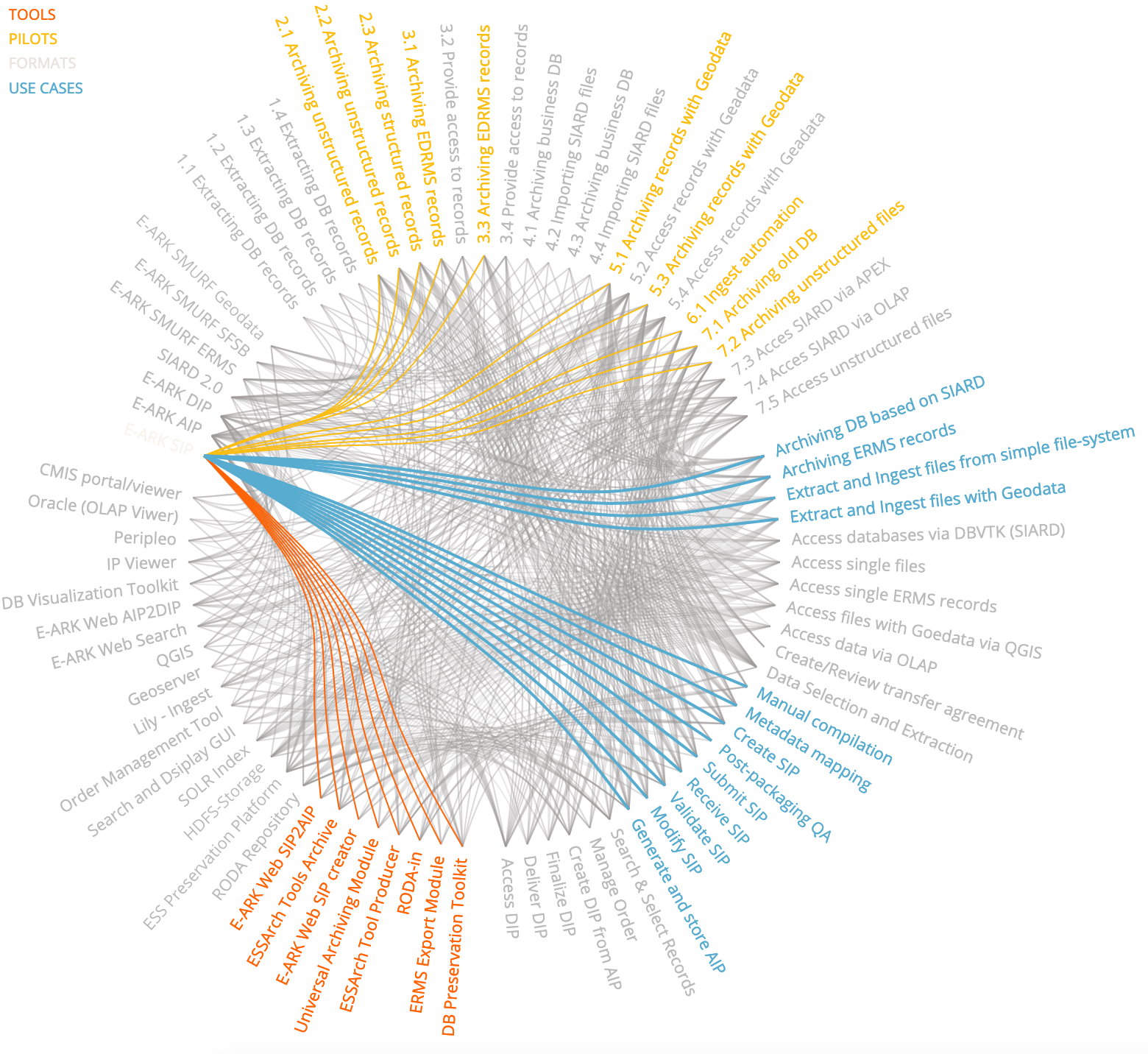
Finding solutions to your digital archiving problemsFinding an eArchiving solution corresponding to your requirements means mapping your problem to the eArchiving format specifications and Sample Software Portfolio tools. That is to find the right specifications and tools best matching your demands. Finding the right eArchiving components is not always easy. eArchiving follows a modular approach. You can find more than one, sometimes overlapping, solutions to one particular digital archiving task, usually with tools from different vendors. In order to help you find your way in the Sample Software Portfolio we would recommend consulting the General Model. With its versatile views the General Model helps you finding information you’d need to select the appropriate components. Probably the most informative section of the General Model is the Map view. It shows all E-ARK elements organized according to the OAIS processes. The Map view has four subviews:
The format specification subview highlights the format specifications (along with the source and output content formats) in white. 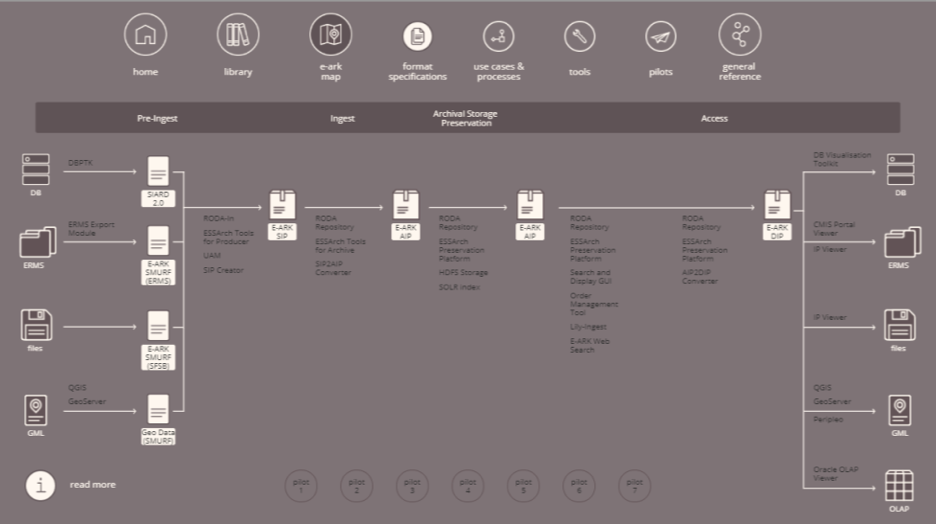
To the left you can find the source formats corresponding to the pre-ingest use cases. Then each input/output element (content types, SIP, AIP, DIP) corresponds to an E-ARK format specification. At the rightmost part you can find the output file formats after a successful access process. We would recommend using one of the eArchiving format specifications if you can. If you decide to use your local formats it is not guaranteed that the eArchiving tools can process them. The Map view also presents the tools processing the input formats into the output formats. 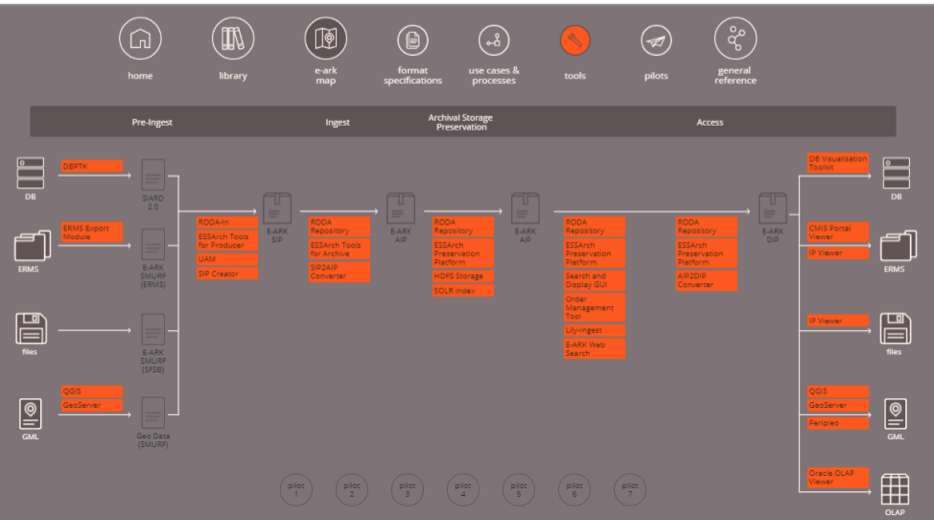
The tools subview shows the name of the tools in orange written on the arrow pointing from the input to the output. For example RODA-In creates an E-ARK SIP from any of the content types to the left. As you can see there can be more than one tool for the same purpose. (E.g. creating a SIP can be performed by 4 different tools.) We would recommend experimenting a little with the tool candidates to find out which one suits your requirements, infrastructure and archival environment the best. You can find more information about how other institutions have used the selected tools and specifications in the E-ARK pilot documentation (explained below). Although theoretically all modules of the Sample Software Portfolio are compatible with each other, using tools from the same vendor is usually a safer solution. They are constantly tested with each other in many digital archiving environments and scenarios. The process subview shows the high-level process diagrams of the selected OAIS process. 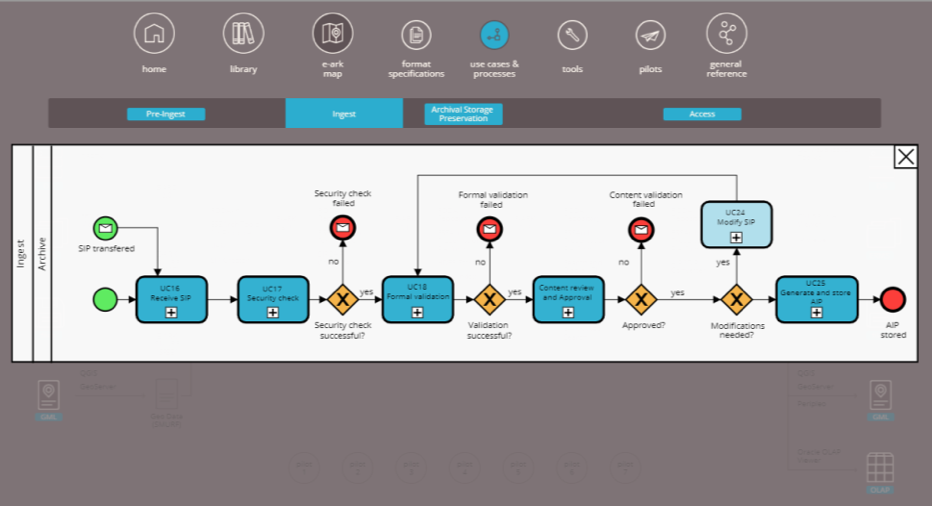
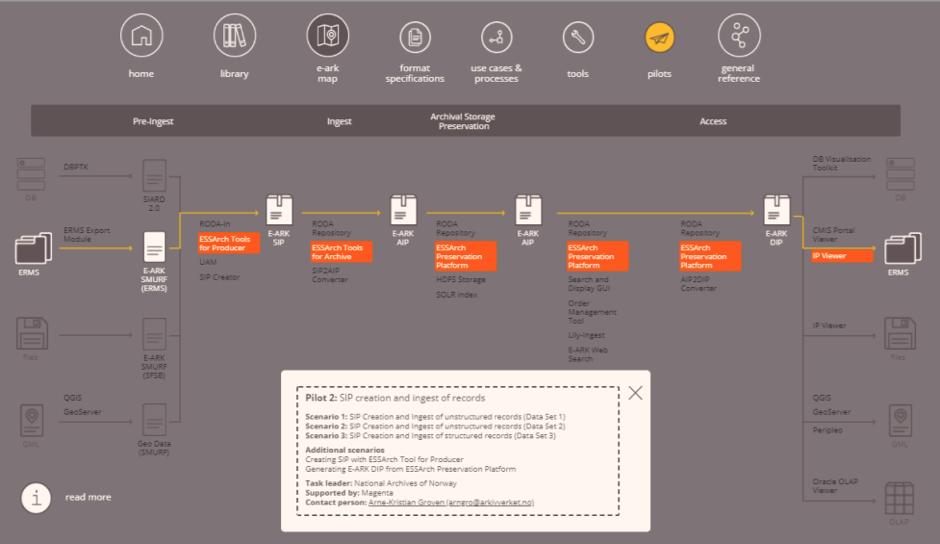
As with the information packages, the OAIS model only names the required processes but doesn’t define the internal structure or give any detail. The E-ARK project defined the processes at an appropriate detail level in order to design the tools. The pilots subview summarizes the pilot scenarios executed by the project. In order to test the tools and specifications of the E-ARK use cases, the project has carefully planned and executed a set of more than twenty real-world pilot scenarios at archival institutions in seven European countries. The view presents the scenarios of each pilot site showing the tools and specifications they have tested along the process map from pre-ingest to access.
As the E-ARK project was focusing on testing the cooperation and interactions of the different components, these pilot scenarios can be very useful when planning your own digital archival scenarios. If you can find pilot scenarios resembling your own, the pilot documentation will help you implementing your own solution. A pilot scenario can be helpful if it implements the same use case (like archiving databases, or geodata along with your content), or uses the same tools you are planning to try out. You can find detailed information about the pilots in the D2.3 Detailed Pilot Specification and D2.4 Pilot Documentation (and here) documents. |
|